With the Black Ops 6 and Warzone Season 2 Update, players have noticed an increase in crashes exclusively affecting PC Players. This is known as the ‘Unexpected Kernel Mode Trap’ BSOD Error, fully restarting your computer for simply having Black Ops 6 or Warzone open. Today, we’re going to dive into why this is happening after the Season 2 update, and all potential fixes so you can get back to enjoying BO6 and Warzone Season 2:
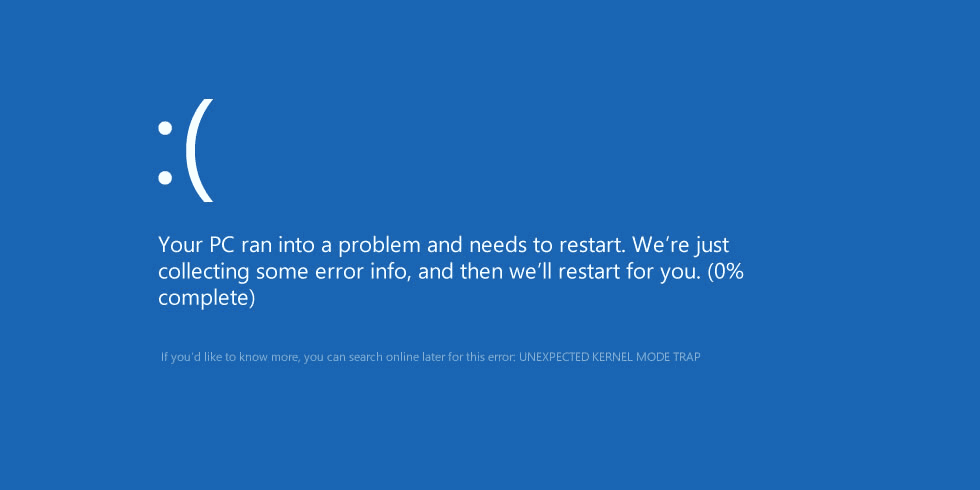
What is causing this crash?
Numerous players in the community have connected the ‘Unexpected Kernel Mode Trap’ crash to the new ‘Ricochet Anti-Cheat’ updated added with Black Ops 6 Season 2. These included new Kernel level drivers to help combat cheater across Multiplayer and Warzone Ranked. Sadly, these updates have created more issues than solved when it comes to the player base, making Black Ops 6 nearly unplayable after Season 2. But we can’t necessarily just ‘Turn Off’ the built in Anti-Cheat for Call of Duty, as it is an integral part of the game in its current state. Here’s some potential fixes you could try to lessen the amount of ‘Unexpected Kernel Mode Trap’ Crashes on your PC:
Unexpected Kernel Mode Trap Fixes in Black Ops 6
Memory Integrity
One of the most notable methods from fans is to TURN OFF ‘MEMORY INTEGRITY’ found in the Windows Settings. Open the search bar on your computer, and search ‘Core Isolation’ and open it. Here you will find an option called ‘Memory Integrity’ which you will want to disable. Fair warning, this is not recommended as this process is a big part of core isolation features and helps a lot with security of your PC. Act accordingly, but luckily there are other methods to try.
Run As Administrator
A fix that solved this issue for me temporarily for Running the Battle Net Desktop app as Administrator when opening Call of Duty. Also running the game in Windowed or Fullscreen Exclusive has appeared to also help with the ‘Unexpected Kernel Mode Trap’ Error.
Scan and Repair
This option doesn’t hurt as it is super simple to do. For Battle Net Users, open the desktop app and click the setting icon on ‘Call of Duty’ then click ‘Scan and Repair’ to begin this process. For Steam, right click Black Ops 6 in your library then select Properties. Navigate to the ‘Installed Files’ Tab and select ‘Verify Integrity of Game Files’ to begin this process.
Remove EasyAntiCheat Directory
This appears to be the most effective method to fix the ‘Unexpected Kernel Mode Trap’ Error in Black Ops 6 as fans have stated this has worked. Found in C:\Program Files (x86)\EasyAntiCheat_EOS, you’re going to want to delete this entire folder. Restart your PC after deleting and reopen Black Ops 6. This AntiCheat is used in other game and could possibly be causing the ‘Unexpected Kernel Mode Trap’ Error for you, method from GamesRecon.
Official Updates
As of February 4th 2025, the official CODUpdates page on X has acknowledged the issue and is now rolling out an update to prevent these crashes:
THE END
That’s all the fixes we have for the ‘Unexpected Kernel Mode Trap’ in Black Ops 6 and Warzone Season 2. Hopefully these can stop all the crashes happening after the most recent update, they are even affecting the coverage we can do as well…
Stay connected with any new updates on Black Ops 6 Zombies as they release on our Twitter, and our YouTube Channel!