
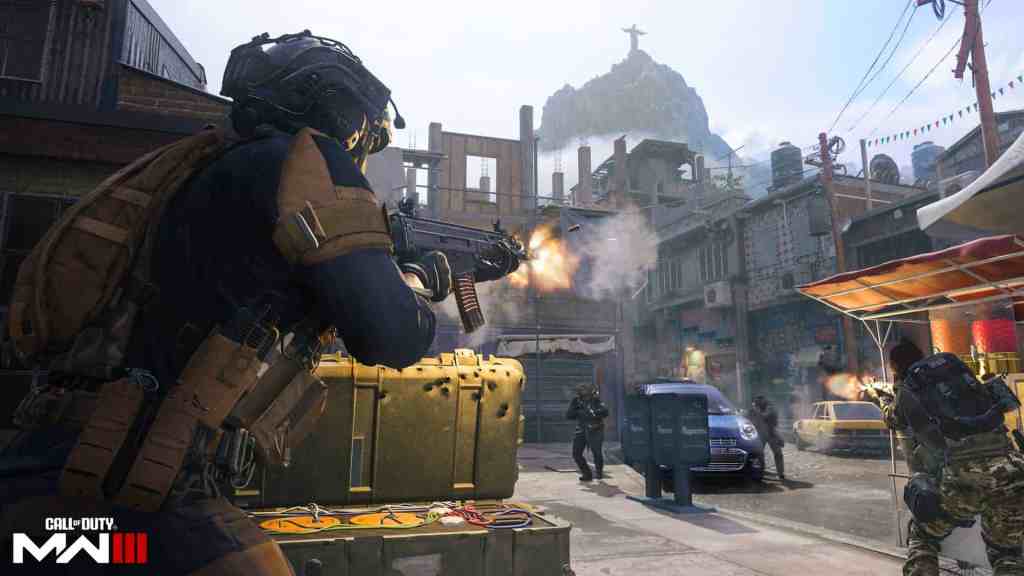
The Modern Warfare 3 Multiplayer beta is available now on PC with cross platform support. Regardless of how powerful your PC specs are, performance in MWIII is greatly impacted by the settings you have enabled. Here are the best MW3 and Warzone PC settings that can help you reach maximum FPS with consistently smooth performance.
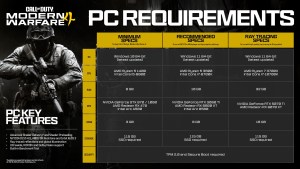
Minimum Specifications
OS: Windows 10 64 Bit (latest update)†
· CPU: Intel Core i5-6600 or AMD Ryzen 5 1400
· RAM: 8 GB · Hi-Rez Assets Cache: Up to 32 GB
· Video Card: NVIDIA GeForce GTX 960 / GTX 1650 or AMD Radeon RX 470
· Video Memory: 2 GB
· Storage: SSD with 149GB available space (78GB if COD HQ and Warzone are already installed)
Recommended Specifications
OS: Windows 10 64 Bit (latest update) or Windows 11 64 Bit (latest update)†
· CPU: Intel Core i7-6700K or AMD Ryzen 5 1600X
· RAM: 16 GB
· Hi-Rez Assets Cache: Up to 32 GB
· Video Card: NVIDIA GeForce GTX 1080Ti / RTX 3060 or AMD Radeon RX 6600XT
· Video Memory: 8 GB
· Storage: SSD with 149GB available space (78GB if COD HQ and Warzone are already installed)
Competitive / Ultra 4K Specifications
OS: Windows 10 64 Bit (latest update) or Windows 11 64 Bit (latest update)†
· CPU: Intel Core i7-8700K or AMD Ryzen 7 2700X
· RAM: 16 GB
· Hi-Rez Assets Cache: Up to 64 GB
· Video Card: NVIDIA GeForce RTX 3080 / RTX 4070 or AMD Radeon RX 6800XT
· Video Memory: 10 GB
· Storage: SSD with 149GB available space (78GB if COD HQ and Warzone are already installed)
Update Your Drivers
With the release of the PC preload for the Modern Warfare 3 beta, NVIDIA posted a reminder to update your PC’s drivers, as failure to do so will drastically decrease your game’s performance. Updating your drivers may also require you to restart your PC, so don’t update them during an important task. The recommended NVIDIA driver version for the Call of Duty: Modern Warfare III Beta is 537.58, while the recommended AMD driver version is 23.10.2.
While NVIDIA’s graphics cards are the most popular on the market, you can still run Call of Duty smoothly with dozens of other GPUs, so long as you adjust the correct settings that fit your specs. Every PC player will be able to have Modern Warfare 3 look as good as it feels to play, once they read the recommendations below.
Display Settings for Modern Warfare 3
- Display Mode – Fullscreen Exclusive
- Display Monitor – Choose your main display with the highest refresh rate
- Display Adapter – This is your graphics card
- Screen Refresh rate – The maximum refresh rate for your monitor (144.01hz, 240hz, etc.)
- Display Resolution – Set to 1080p. If you have a high end GPU, you could select 1440p, but 1080p will be better for frames and performance. 4K is not recommended as it will significantly impact FPS.
- Aspect Ratio – Automatic (16:9)
- Dynamic Resolution – Off
- V-Sync Gameplay – Off
- V-Sync Menu – Off
- Custom Frame Rate Limit – Custom
- Gameplay Custom Frame Rate Limit: 300
- Menu Custom Frame Rate Limit: 90
- Out of focus Custom Frame Rate Limit: 30
- Display Gamma – 2.2 (sRGB)
- Brightness – Preference
- Focus Mode – Off
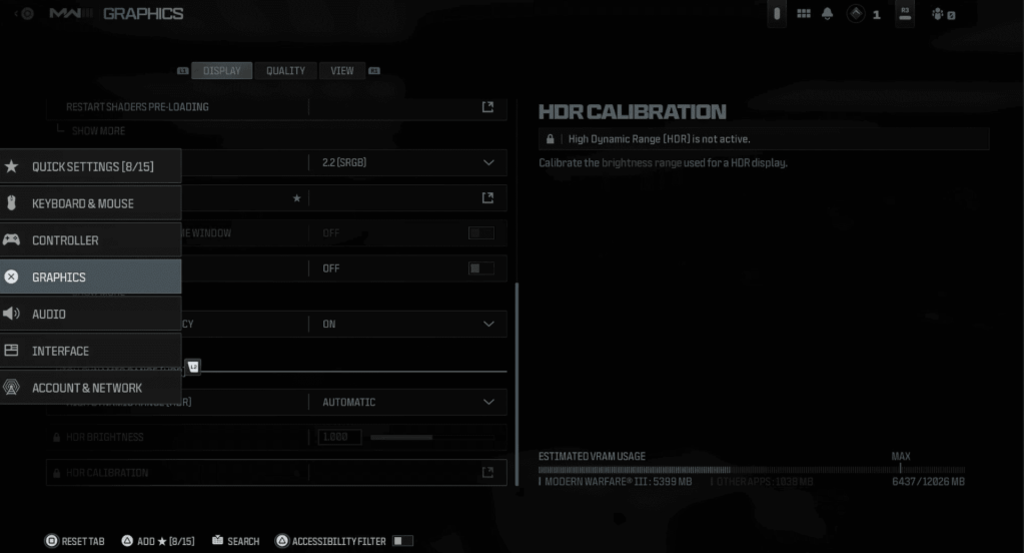
Quality Settings For Modern Warfare 3
- Quality Preset – Recommended
- Render Resolution – 100
- Dynamic Resolution – Off
- Upscaling / Sharpening: FidelityFX CAS
- FidelityFX CAS Strength: 65 – This will sharpen the game without impacting frames.
- Anti-Aliasing: SMAA T2X
- Anti-Aliasing Quality: Filmic Smaa T2X
- VRAM Scale Target – 80
- Variable Rate Shading – Off
- Video Memory Scale: 90 – You want to use the maximum VRAM that you can.
- Texture Resolution: Very Low
- Texture Filter Anisotropic: Normal
- Depth of Field – On
- Detail Level Quality – Low
- Distant Level of Detail – High
- Clutter Draw Distance – Short

- Particle Resolution – High
- Bullet Impacts – On
- Persistent Effects – On
- Shader Quality – Low
- On-Demand Texture Streaming – Off
- Local Texture Streaming Quality – Low
- Shadow Quality – Very Low
- Screen Space Shadows – Off
- Ambient Occlusion – Off
- Screen Space Reflections – Off
- Static Reflection Quality – Low
- Tessellation – Off
- Terrain Memory – Min
- Volumetric Quality – Low
- Deferred Physics Quality – Off
- Weather Grid Volumes – Off
- Water Quality – Water Caustics
- Nvidia Reflex Low Latency: On – Significantly improves latency. If you are CPU-bound, use the ON+BOOST option.
Color Customization Settings For Modern Warfare 3

Credit to @BRParadox on Twitter for providing updated recommendations for all MW3 settings. Paradox actually built dkdynamite’s PC, and have been trusted by thousands of buyers to build some of the best gaming PCs on the market.
View Settings For Modern Warfare 3
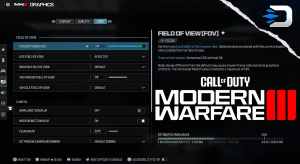
- Field of View – 100-110 is recommended to ensure a strong balance between performance and visibility.
- ADS Field of View – Affected
- Weapon Field of View – Wide
- 3rd Person Field of View – 80-100
- Vehicle Field of View – Default
- World Motion Blur – Off
- Weapon Motion Blur – Off
- Film Grain – 0.00
- 1st Person Camera Movement – Least (50%)
- 3rd Person Camera Movement – Least (50%)
- 3rd Person ADS Transition – Your Choice
- Spectator Camera – Your Choice
- Inverted Flashbang – Your Choice

Seasonal Updates & Benchmark Assistance
The lists above are currently the best Modern Warfare 3 settings to maximize your FPS while enjoying the beautiful scenery in match, without gameplay disadvantages. As a reminder, MW3 will consistently be receiving optimization updates with every title update. This article will be updated with the latest settings each season, which can improve your MWIII PC performance beyond what has been reached thus far.
Everyone’s PC is different, and not every setting will be the absolute match for your particular specs, but MW3 does offer a benchmark tool, which can help you find the ideal settings for your PC. Turning each setting to ‘low’ is not the solution for maximizing performance, and won’t utilize the full potential of your PC.
THE END
If you’d like an in depth video breaking down the best Modern Warfare 3 PC settings, then checkout the following video:

Stay connected with any new updates on MW3 as they release on our Twitter, and our YouTube Channel!