
Being able to customize your HUD is a BRAND NEW Feature in Black Ops 6, giving you the ability to choose from certain presets across Black Ops 6 Zombies & Multiplayer to suit your playstyle. While you cannot create your own HUD, don’t worry! There’s a HUD Preset for everyone in Black Ops 6, here’s how to change them in BO6 Zombies & Multiplayer:
HOW CUSTOMIZABLE HUD WILL WORK IN BO6
Black Ops 6’s Beta begins on August 30th and the full game releases on October 25th, and with that comes a newly announced feature: the fully customizable HUD. This gives you the ability to choose from HUD presets made by Treyarch themselves, which alter the positioning of the HUD elements, for example moving a compass or ammo count to the top left/top right instead of their original positioning.
Don’t like the presets? There’s another option which allows you to completely disable an element you don’t want, like a compass, or even mini-map if you wanted to. This option is present in both Multiplayer and Zombies (no information on Campaign yet), and has specific presets catered to each mode.
MULTIPLAYER & ZOMBIES HUD PRESETS
Recently with the tragic leak that occured on Playstation, leakers were able to gain access to the Black Ops 6 beta early, which allowed them to do anything they wanted, more specifically they could choose any of the HUD presets currently available in the beta. They go as follows:
- Default Layout
- Black Ops 6’s Original UI
- Minimap Bottom Left
- Moves the mini-map AND compass to the bottom of the screen.
- Flipped
- Flips the entire UI; ammo count bottom left, minimap top right, etc.
- Focused
- Moves ammo count & grenades to the centre. Mini-map is at the bottom middle.
- Dot Hunter
- Everything is located at the bottom of the screen.
- Immersive
- Can’t be seen currently, but it can be assumed that it disables most HUD elements.
- High Visibility
- Enlargens the HUD for better visibility.
- Legacy
- Switches the HUD to something more familiar to Black Ops 3 & 4.
- Modern Warfare
- Uses the Modern Warfare II / III HUD.
- Streamer
- This option is also blocked out. It most likely hides player names, scores, etc.
BLACK OPS 6 ZOMBIES BLOG HUD BREAKDOWN
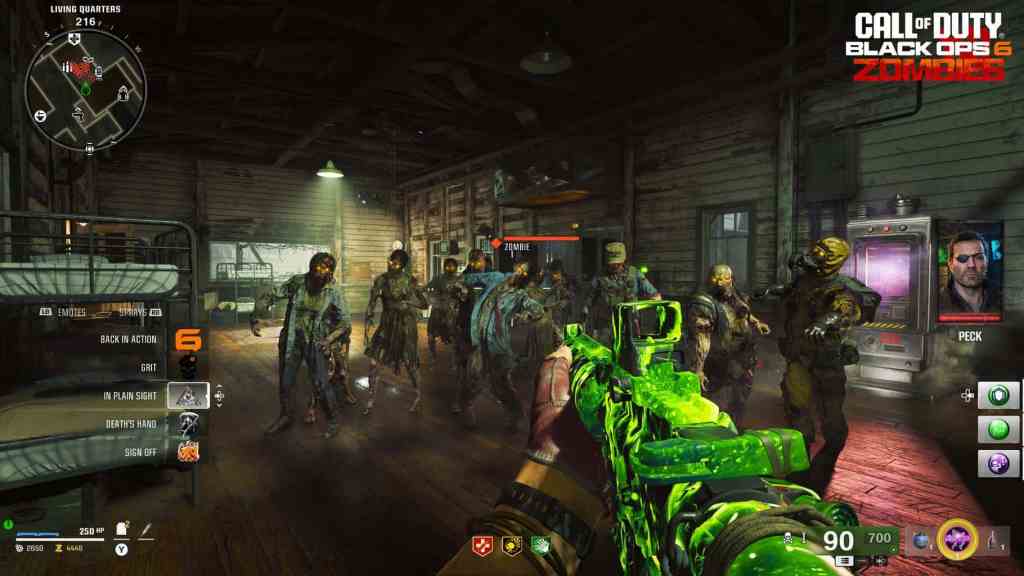
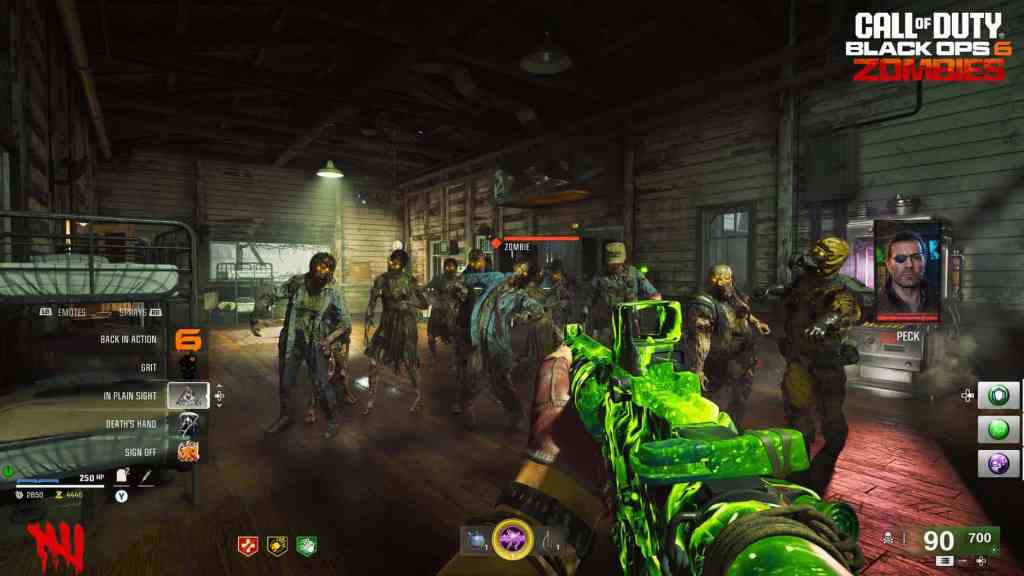
With today’s Black Ops 6 gameplay reveal, we got a peek of what we can expect HUD customization to look like in the Zombies mode. Treyarch showcased what the original Black Ops 6 HUD looks like, aswell as what the “Legacy” HUD preset looks like, which is meant to recreate what the Black Ops 3 UI looked like.
We also discovered almost all aspects of the interface can be customized or even disabled.
Things such as Mini-Map, Compass, Player Health Bar, Zombie Health Bars, Hit Point Damage can be completely disabled if chosen to. Other things like the ability to select a custom color palette for your interface, icons, and maps are possible too.
BLACK OPS 6 COD NEXT EVENT
With the Black Ops 6 COD NEXT beginning on August 28th, we’ll definitely be able to see a deeper dive into the HUD’s customization and how modifiable it really is. Various layouts will be displayed across different content creators and their preferences, and hopefully see just how many elements can specifically be adjusted & disabled.
THE END
That’s the end of this article! What do you think about the HUD finally being customizable in Call of Duty, is it a good thing or a bad thing? And which preset will you use if you’re going to use it? Let us know!
Stay connected with any new updates on Black Ops 6’s customizable HUD as they release on our Twitter, and our YouTube Channel!